

Your shopping cart is empty!
 Call us: +1-(437)-290-7537
Firewall Buying Guide 2026: Fortinet vs Cisco vs Juniper
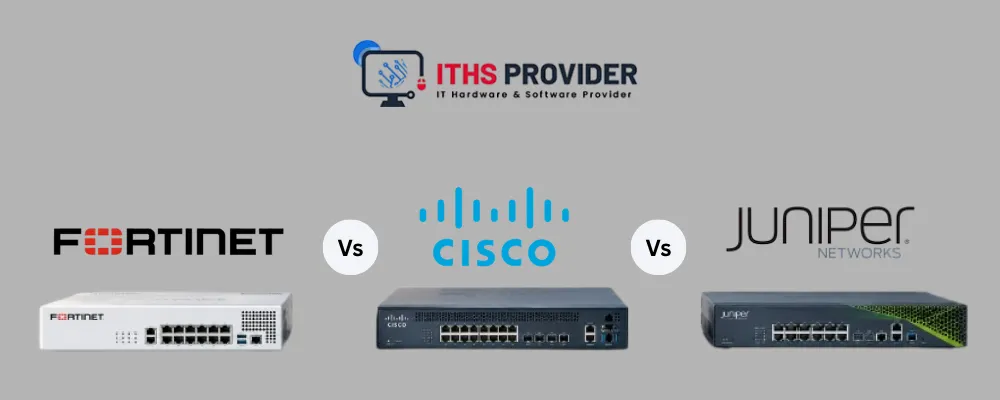
A new firewall is only useful if it fits your traffic volume, security needs, network setup, and long-term plans. In 2026, companies are looking beyond how fast a firewall can process data. They are paying attention to whether it can inspect encrypted traffic, block intrusions, control applications, be managed from one place, handle licensing, connect to the cloud, and receive software updates. All of these factors shape the buying decision.
The right Fortinet FortiGate, Cisco Secure Firewall, or Juniper SRX can protect a business for years without adding unnecessary cost or complexity. The wrong one, even if it’s the bigger-name option, can leave gaps you won’t notice until something goes wrong.
This guide explains what businesses should look at when comparing Fortinet, Cisco, and Juniper firewalls in 2026, including performance, security features, management, licensing, deployment options, compatibility, support, and the overall cost of ownership.
Table of Contents
What Counts as a Next-Generation Firewall in 2026
A next-generation firewall (NGFW) combines traffic filtering with more advanced security features. Depending on the platform and license, these may include intrusion prevention, application control, user and device identification, encrypted traffic inspection, web filtering, VPN security, and centralized policy management.
For businesses, the important question is not simply whether a product is called an NGFW. It should be able to handle the traffic your network actually generates while providing the security features your team needs.
When comparing Fortinet, Cisco, and Juniper, look beyond headline firewall throughput. Check performance with security services enabled, encrypted traffic inspection, concurrent sessions, VPN capacity, management options, policy controls, existing integrations, and the licensing required for the features you plan to use.
Fortinet vs Cisco vs Juniper: How They Actually Differ
Fortinet, Cisco, and Juniper can all support demanding business environments, but their strengths differ. The right choice depends on your network, security requirements, management approach, and available technical expertise.
Fortinet FortiGate
Fortinet FortiGate suits companies looking for an integrated security platform. It combines firewall protection with threat prevention, application control, VPN, and other security features within the Fortinet ecosystem.
FortiGate can be attractive when performance, centralized management, and operational simplicity are priorities. Compare the specific model and included licenses with your expected traffic and security requirements rather than relying only on advertised firewall throughput.
Cisco Secure Firewall
Cisco Secure Firewall can be a strong fit for companies already using Cisco networking or security products. Existing Cisco knowledge, management workflows, and integrations can make deployment easier for teams already familiar with the ecosystem.
When evaluating Cisco, check the required software version, management platform, security subscriptions, performance with security services enabled, and compatibility with your existing Cisco environment.
Juniper SRX
Juniper SRX combines firewall security with networking capabilities such as routing and connectivity. The SRX family supports different deployment environments, including branch, campus, and data center networks.
Juniper can be worth considering when networking performance, centralized policy management, scalability, and integration with an existing Juniper environment are important.
Which One Should You Choose?
No single vendor is the best choice for every business.
- Fortinet: Consider it when integrated security features, performance, and centralized management are priorities.
- Cisco: Consider it when Cisco networking, security tools, and existing team expertise are already central to your environment.
- Juniper: Consider it when the SRX ecosystem, scalability, networking capabilities, and integration are important.
The final decision should be based on the specific firewall model, security services, licensing requirements, traffic pattern, support needs, and network design, not the vendor name alone.
Why Businesses Look at These Platforms
Businesses looking at Fortinet, Cisco or Juniper are often focused on security features how well the systems perform, how easy they are to manage, whether they work with existing tools and what the total cost will be, over time. They want to make sure the solution fits their environment and will continue to work well in the future.
This becomes especially relevant when a business needs to cut ransomware risk, secure hybrid cloud workloads, meet compliance requirements, or refresh equipment that's nearing end of support.
For US businesses, compliance often has a state-level side too. Companies that handle personal information of California residents need to follow the California Consumer Privacy Act (CCPA), which expects reasonable security practices, and a correctly configured firewall is one part of meeting that expectation. Other states have their own privacy and breach laws, so check the rules for each state where you operate. This is general information, not legal advice.
Timing and Availability
Sometimes the deciding factor isn't features at all, it's how fast you can actually get the thing installed. A platform that has what you need and can be deployed sooner is often more valuable than waiting out a budget cycle, especially if you're dealing with an active or urgent threat.
Compatibility With What You Already Have
A lot of businesses already have staff trained on a specific vendor, existing configuration templates, familiar management tools, and spare parts on hand. Sticking with a compatible platform is often more practical than retraining a team or rebuilding integrations from scratch, even when a competitor's product looks slightly better on paper.
None of these advantages matter if the platform hasn't been properly assessed for your actual environment. A lower price tag never makes up for weak threat prevention, poor visibility, or a management console your team dreads opening every day.
Total Cost of Ownership, Not Just Purchase Price
The sticker price is just one line item. What you actually pay over the life of the firewall includes deployment, support, maintenance, downtime, and eventual retirement.
Total Cost of Ownership = Purchase Price + Deployment Costs + Support Costs + Maintenance Costs + Downtime Costs + Retirement Costs
Deployment costs typically include installation, configuration, testing, licensing, cabling, and staff time. Ongoing costs cover firmware support, replacement parts, energy use, technical assistance, and repairs. And if a failure takes down business operations even for a few hours, that downtime can cost far more than the box itself.
Here's a scenario worth thinking through: a firewall looks cheap at checkout, until you realize you also need an SSL inspection license, a managed 24/7 monitoring service, and specialist configuration work for zero trust integration. A slightly pricier platform that already includes what you need, backed by solid support, often wins out over its useful life. Compare the full ownership cost, not just the number on the quote. This matters even more when you're calculating long-term IT infrastructure budgets.
Reliability Should Be Proven, Not Assumed
A firewall can be reliable, but that reliability needs to be backed by testing, not by how polished the vendor's pitch deck looks.
A device can look brand new and still be running outdated firmware, lack the throughput for SSL inspection at your traffic volume, or be missing licenses for features you assumed were included. What matters is how well it matches your actual network, not how it looks in a demo.
For physical firewalls, check:
- SSL inspection throughput under real traffic mixes, not just lab benchmarks
- Concurrent session capacity under peak load
- High availability failover time
- Management API responsiveness
- Power consumption under sustained load
For virtual firewalls, check:
- Hypervisor compatibility (VMware, AHV, Hyper-V)
- Cloud marketplace availability (AWS, Azure, GCP)
- Performance benchmarks specific to your instance type
- Licensing flexibility (BYOL vs. pay-as-you-go)
Ask your vendor or reseller exactly which tests were run and get the results in writing. "It's been tested" means nothing without details on how, and against what kind of traffic.
The Product Type Changes What You Should Check
Physical Appliances
For physical FortiGate, Firepower, or SRX appliances, look at throughput specs, interface types (1GbE, 10GbE, 25GbE, 40GbE), power requirements, rack space, and whether accessories like power supplies and mounting kits are included.
A physical appliance can be a great fit for a data center core or campus distribution layer. It's a weaker choice for a temporary branch deployment unless it offers integrated LTE failover or a compact form factor.
Virtual Firewalls
For products like FortiGate VM, Firepower VM or vSRX, check that the specific model works with your virtualization platform, its resource requirements (vCPU, RAM, and storage), licensing model, and required cloud features.
Make sure the speed and number of sessions really fit your workload. A virtual firewall that does not have resources for your cloud traffic will cause delays no matter how good the software is.
Cloud-Delivered Firewalls
For cloud-based choices like AWS Network Firewall, Azure Firewall or Google Cloud Firewall look at the service limits the options for policies how well it works with other cloud security tools and the cost structure, which is usually based on the amount of data handled or the time it is used.
A separate cloud firewall might have trouble keeping the policies across on-premises and multiple cloud setups unless you add something to manage it.
Compatibility Is More Important Than How Old It Is
A firewall model is not always a bad choice but it must actually work with the network you are putting it into.
Before you buy compare the platform with your setup: same model and version firmware level, management system, power needs, transceiver compatibility, licenses, cables and the traffic you expect.
What a small office, a warehouse, a school branch and a data center each need can look completely different even if they are all looking at the vendor.
Focus on transceivers and power supplies. Fiber modules come in speeds, connector types and distances and power needs can be different between models that seem the same which affects how much power the rack uses. Doing a compatibility check first is always less expensive than dealing with an installation issue after the hardware arrives.
Firmware and Software Licensing
A firewall can work technically. Still be a problem for support or security.
Check if the manufacturer still sends firmware updates for that model and version. Make sure security updates are still available and whether the device needs a subscription, for threat intelligence or extra features to keep working.
Software licensing controls things like advanced malware protection, SSL inspection capacity, application control rules, and cloud management integration, and licenses don't always transfer with the hardware in perpetual licensing models. Don't assume a feature shown in the product brochure comes included with a refurbished or used device. Confirm license status and renewal terms before you buy, not after.
Official manufacturer documentation is your best reference here. For Cisco equipment, the Cisco Support and Downloads portal is a solid starting point. For other vendors, use the official support page for the exact product and model.
Network Security and Data Security Before Deployment
Firewalls often carry leftover administrator accounts, certificates, VPN settings, configuration files, and logs from wherever they were used before.
Before deployment, that previous configuration needs to be wiped. A factory reset is usually part of this, but the correct procedure depends on the manufacturer and model. Here's the catch: a factory reset doesn't always clear everything. Devices with internal storage for logging or caching may need a separate, secure data erasure process on top of the reset.
Once the device is clean, apply your own configuration, change credentials, restrict management access, review remote administration settings, and install supported firmware. These steps protect both your data and your network. The NIST Cybersecurity Framework offers a solid structure for managing cybersecurity risk, and the CIS Critical Security Controls provide practical guidance on asset inventory, secure configuration, access control, and vulnerability management.
For a wider look at protecting the whole network, read our guide to network security essentials for small and medium businesses.
Energy Efficiency and Operating Costs
Older firewall models often come cheaper upfront but draw more power than newer platforms, and that adds up fast in server rooms and data centers where equipment runs continuously and cooling costs stack on top.
When looking at energy efficiency, check the device's power draw, power supply rating, cooling requirements, expected workload, and how many units you'd need to hit your required capacity.
Newer isn't automatically more efficient, though. If a less capable model needs three units to do what one better platform can do alone, its total energy use could actually be higher. Factor energy consumption into total ownership cost, not just the spec sheet.
Warranty Coverage and Return Policy
A warranty is only as good as its terms.
Review the coverage length, which components are covered (power supplies, fans, modules), the repair process, replacement arrangements, shipping responsibilities, and exclusions.
The supplier's return policy needs the same scrutiny: return window, condition requirements, restocking charges, testing fees, and the process for reporting a fault. A short return window might be fine for low-risk equipment, but critical network security hardware deserves stronger protection. Confirm whether the supplier can offer replacement stock or repair support if a device fails shortly after installation.
Supplier Quality, Availability, and Delivery
The supplier's process directly affects what you actually receive. During evaluation, ask where the products come from (new, surplus, lease returns, trade-ins), how they're inspected, how condition is graded, and whether serial numbers and configuration history are tracked.
Confirm stock availability and expected delivery time. Firewall inventory can be limited, and matching units may not stay in stock for long, which matters if you need several identical devices for a rollout.
Before buying in bulk, confirm every unit has consistent specs, condition, accessories, firmware, and warranty terms. A lower unit price isn't a saving if half the units can't actually be deployed or supported.
Maintenance, Spare Parts, and Repair Costs
How long a firewall stays useful depends heavily on whether it can be maintained.
Check the availability of spare parts (power supplies, fans, antennas, transceiver modules, mounting hardware) and whether qualified technicians can actually service the equipment.
Planned maintenance usually includes firmware updates, configuration backups, performance monitoring, and replacing worn components. A product with accessible parts and active vendor support can stay practical for years. One that depends on rare parts or discontinued software becomes expensive fast.
Hardware Deployment and Asset Tracking
Before installation, inspect, record, configure, and test the firewall. That means verifying the model, serial number, accessories, firmware, license status, configuration, and security settings.
For larger rollouts, test a sample unit before deploying the whole batch. This catches compatibility issues early instead of after everything's already in racks.
Once installed, log the equipment in your network hardware inventory: model, revision, serial number, location, assigned owner, firmware, warranty, condition, and planned replacement date. Good asset tracking makes support, warranty claims, replacement planning, and incident response a lot less painful later.
Device Lifecycle and Responsible Recycling
A firewall's lifecycle doesn't stop at deployment. It continues through maintenance, reassignment, replacement, and eventual retirement.
Extending a device's useful life through proper evaluation and reuse can delay the need for new hardware, but the remaining support window still matters. Before choosing older equipment, weigh firmware availability, spare parts, energy use, expected workload, and how long you actually plan to run it.
When a firewall reaches end of life, remove configurations and handle stored data securely, then recycle it through a responsible provider rather than tossing it in general e-waste. The U.S. Environmental Protection Agency's electronics recycling guidance covers donation and recycling options. In California, electronic waste is regulated by the state’s Department of Toxic Substances Control (DTSC), and many electronic devices cannot be thrown in the regular trash, so use a registered e-waste recycler. Other states have their own e-waste rules, so check with your state environmental agency.
Comparing Firewall Solutions
| Factor | What to Review | Why It Matters |
|---|---|---|
| Cost | Purchase price, deployment, licensing renewals, management hours, energy, repairs | Shows total cost of ownership over 3–5 years |
| Performance | SSL inspection throughput, concurrent sessions, latency under load, failover time | Determines if it can handle your actual traffic without bottlenecks |
| Features | Application control, IPS, threat intelligence feeds, SSL decryption, zero trust integration | Determines fit for your threat landscape and compliance needs |
| Management | Console usability, API completeness, automation, reporting, multi-tenancy | Affects daily operational overhead |
| Compatibility | Hypervisor and cloud support, transceiver compatibility, license portability | Determines if it works in your environment without workarounds |
| Support | Hardware replacement SLA, response times, firmware update frequency, EOL roadmap | Impacts how fast issues get resolved and how long it stays viable |
| Lifecycle | Firmware support duration, spare parts availability, upgrade path | Shows whether it stays practical for your intended use period |
Frequently Asked Questions
Final Thoughts
A firewall is worth the investment when it's chosen on evidence, not on price alone or vendor promises.
Look at actual performance for your use case, testing results, compatibility with existing infrastructure, firmware currency, licensing terms, security capabilities, energy use, warranty coverage, maintenance needs, spare parts availability, and expected service life.
The right firewall meets your requirements and can be supported with confidence. The wrong one has unclear updates, licenses, components, or warranty terms that don't match what you actually need.
Compare the complete cost, risk, and operational fit of each option. With honest evaluation and transparent vendor information, you can pick a firewall solution that strengthens security without blowing up your budget.
-160x160.webp)
Leave a Reply
Your email address cannot be published. Required fields are marked*


Information
Customer Service
My Account
©2026 ITHS Provider (A Project of Mehta Corp.) - All Rights Reserved.

No comments